Run your whole company from one place.
Connected turns the way your best people work into simple systems, so someone new can deliver work a pro would be proud of. Projects, tasks, files, chat and an office, all in one place.
Free to start. Sign up with Google or your email.
See the whole company on one screen.
Who is doing what, what is due, who is in the Office, and what is coming up next. Without asking anyone.
Good morning
Here is where everything stands.
Due this week
- Send the proposal to the clientAToday
- Write the onboarding checklistKTomorrow
- Review the brand files in Team SpaceMFri
- Plan next week's contentEMon
In the Office
Next meeting
Weekly check-in
From Google Calendar

Day one, in most companies
“Where is everything? What do I do first? Who do I even ask?”

With Connected
The steps are right there, so she gets on with the work.
Our north star
A beginner should deliver like a pro.
Most new people do not struggle because they are not good enough. They struggle because nobody wrote down how the work is done, so they guess, they wait, or they ask you. Connected puts the steps right beside the work, so someone on their first week follows the same path your best person would.
Write it once
Your best person writes how a job is done, as a procedure in Team Space or a company system. It is there for everyone, for good.
Follow it beside the work
Open a list of work and take it one record at a time, with the procedure open next to it. No hunting, no guessing.
Get the same result
The steps are the same, so the quality is the same, whoever does the work. And you stop being the only one who knows how.
Why Connected exists
A business that stops when you stop is a job with staff.
Most small teams do not have a work problem. They have a where problem. The task is in a chat, the file is in someone's Drive, the decision was made on a call nobody wrote down, and the only person who knows how it all fits together is you. Connected exists to take that weight off the owner, so the company keeps moving when you step away.
Before
Your company lives in twelve places.
Messages
Every conversation, by person and project
Files
Team Space, with Google Drive connected
Meetings
Your Google Calendar, with the notes
Tasks
Who owns what, and when it is due
Every obstacle, answered
What gets in the way, and what we did about it.
Work waits for you.
Every task has an owner and a due date, and the dashboard shows where things stand. Nobody has to ask.
Nobody can find the latest file.
Team Space keeps files in shared folders, with your Google Drive connected.
Remote feels slow and lonely.
Step into the Office and talk by voice, like walking over to someone's desk.
Meetings are scattered across calendars.
Connect Google Calendar and keep meetings next to the work they are about.
New people need you for everything.
Write how you do things once, in Team Space. The page answers the question, not you.
Too many tools, too many logins.
One sign-in for projects, tasks, chat, files and meetings.
One place
Everything you spread across five apps, in one.
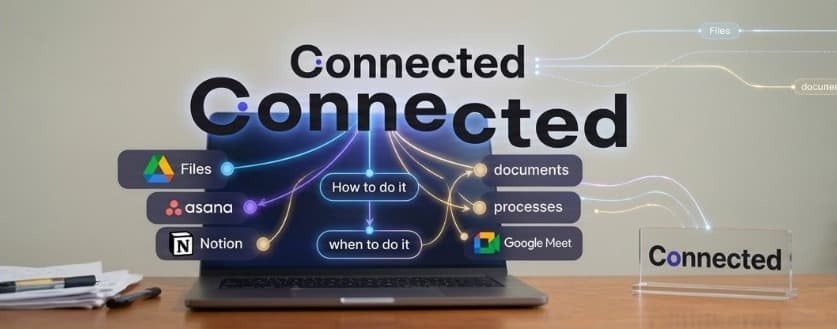
Files in one app, tasks in another, chat in a third, how-tos somewhere nobody can find. Connected brings it together. It connects to the Google Drive and Calendar you already use, and does the rest of the job itself, so there is one place to look and fewer apps to pay for.
 Team chat
Messages: team chat and direct messages, next to the work they are about.
 Tasks
TasksTasks and projects: owners, due dates and files on every task.
Team Space: pages and procedures, written once and found in seconds.
Connected to your Drive, so your files sit beside the work.
Why it works
Built around one equation.
Something is worth more when the result is bigger and more certain, and when it takes less time and less effort to get there. Every part of Connected has to pass that test.
Dream outcome
Goes up
A company that keeps running without you holding every thread.
Likelihood
Goes up
When you sign up, Connect, our AI guide, asks about your business and sets up your first project, tasks and a Start Here page. You never face a blank page.
Time
Goes down
Sign up with Google, answer a few questions, and your workspace is ready the same day.
Effort
Goes down
Nothing to install. Connect the Google Drive and Calendar you already use instead of starting over.
The value equation comes from Alex Hormozi's book $100M Offers.
Who it's for
Freelancers, small teams and medium-sized teams.
Connected is made for three kinds of work. Whichever one is yours, it was built with you in mind.
Just you, with clients and projects to keep in order.
- Every client and project in its own place
- Deadlines you cannot miss, in one list
- Files and meeting notes next to the work
- Ready for the day you hire your first person
A few people, often in different places, doing a lot.
- Everyone can see who owns what
- Talk by voice in the Office instead of booking a call
- One home for files, with Google Drive connected
- Write a process once and hand it to the next hire
Several teams that need to work the same way.
- Roles for owners, admins, managers and members
- Systems and procedures every team follows
- Automations for onboarding and deadline reminders
- Controls over what Connect AI is allowed to do
What it does
Everything the work needs. Nothing it doesn't.
The Office
A virtual office your team can actually walk into. See who is in, join a room, and talk by voice, like turning to the next desk.
Tasks and projects
Owners, due dates, files attached. Hand work over once and see it move.
Clients
Brand
How-tos
Hiring
Finance
Drive
Team Space and Drive
Shared folders for everything your company knows, with Google Drive connected.
Is the proposal ready?
It's on the task, with the file.
Messages
Team chat and direct messages, live, next to the work they are about.
Meetings and Calendar
Connect Google Calendar and keep every meeting with its notes.
What does your business do, and what do you want Connected to help with first?
Connect, your AI guide
Connect gets to know your business when you join and sets up your first project and tasks from the conversation. It only ever acts within what your role allows.
Roles, dashboards and alerts
Owners, admins and members each see the dashboard that fits their job, and get told when something needs them.
Anywhere
Different cities. One office.
Your people do not need to share a building to work like they share a room. Connected keeps everyone on the same page, wherever they open their laptop.
Drag the globe to spin it.
How it starts
From sign-up to a working office, the same day.
Sign up
With Google or your email. Choose Freelancer or Remote team.
Talk to Connect
A short conversation about your business. Connect sets up your first project, your first tasks and a Start Here page from your answers.
Bring everyone in
Invite your teammates, connect Google Drive and Calendar, and open the Office.
The Starter plan
Free.
Start today with everything below. Paid plans for growing teams will come later, and you will see exactly what they add before you pay for anything.
- Your own private company space
- Your first project and tasks, set up with Connect
- Team Space for your files and how-tos
- Google Drive and Google Calendar connections
- The Office, for talking by voice
- Team chat and direct messages
- Dashboards and notifications
Questions
Before you ask.
What does it cost?
You start on the Starter plan, which is free. Paid plans for growing teams will come later, and you will see exactly what they include before you pay for anything.
Do we need to install anything?
No. Connected runs in your web browser. The Office asks for your microphone only when you join a room.
Will we have to move all our files?
No. Connect the Google Drive you already use and bring folders in, or upload straight into Team Space. Your Google Calendar connects the same way.
Is our company's information private?
Every company on Connected has its own private space. Your people only ever see your company, and that wall is enforced by the database itself, not just by the screens.
I work alone. Is it for me?
Yes. Choose Freelancer when you sign up and Connected becomes a place to keep clients, projects, files and deadlines in order. Invite people later if you grow.
Who is behind Connected?
Connected is built in Accra. It was used to run a real company day to day before anyone else was let in, so every feature had to survive real work first.
Contact
Talk to a person.
Questions before you sign up, or help once you have? Reach us any of these ways and you will hear back from the team building Connected.
Your next step
Stop being the system.
Put the work where your team can see it. It takes one conversation to set up, and the Starter plan is free.
Know a team that runs on WhatsApp groups? Send them this page.